Snapline · Screenshot manager for Windows

Capture the screen.
It’s already filed.

Every shot lands in a real project folder on your disk, named, thumbnailed, and searchable by the text inside the image. Local first. No account. Free.

Capture

Drag anywhere below.
That’s the whole tutorial.

Press, drag, release. This is how capture feels, and Snapline does the filing.

Saved to Nova Café Rebrand\capture-014.png indexed · searchable

Watch

Forty-one seconds,
the whole app.

The trailer runs capture to search. The five one-minute lessons go deeper, one feature at a time.

trailer.mp4 0:41 · 1920 × 1080
01-library.png 1936 × 1056 · 29m ago

Projects

Real folders, not a database.

Pick an active project and every capture lands in its folder on disk. Drop files in from Explorer and Snapline notices, indexes them, and keeps the library in sync. Your files stay readable by any tool, forever.

  • Active project chip right in the capture bar
  • Bulk move, tag, and favorite across hundreds of shots
  • Recently deleted with undo, nothing vanishes by accident
E:\Clients\Nova Café Rebrand\Homepage hero.png
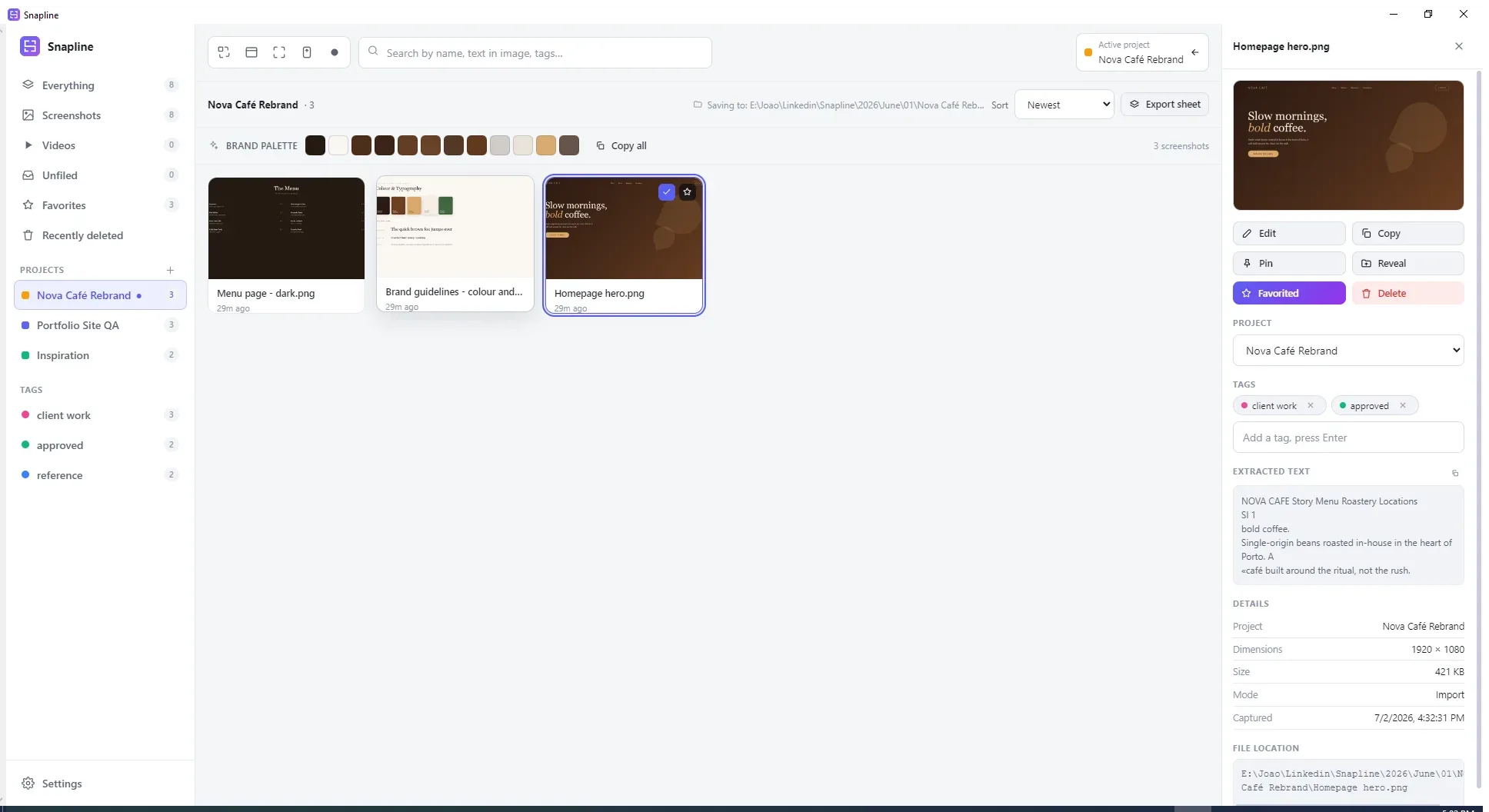
Snapline library: a project sidebar, a brand palette strip, and screenshot cards with a details panel showing extracted text and file location.

Search

Search the words inside your screenshots.

Local OCR reads every capture, so the invoice number, the error message, or the client’s tagline is one search away. Add tags and AI titles if you want them. All of it indexed on your machine.

03-beautify.png 1936 × 1056 · just now

Editor

Annotate, redact, beautify.

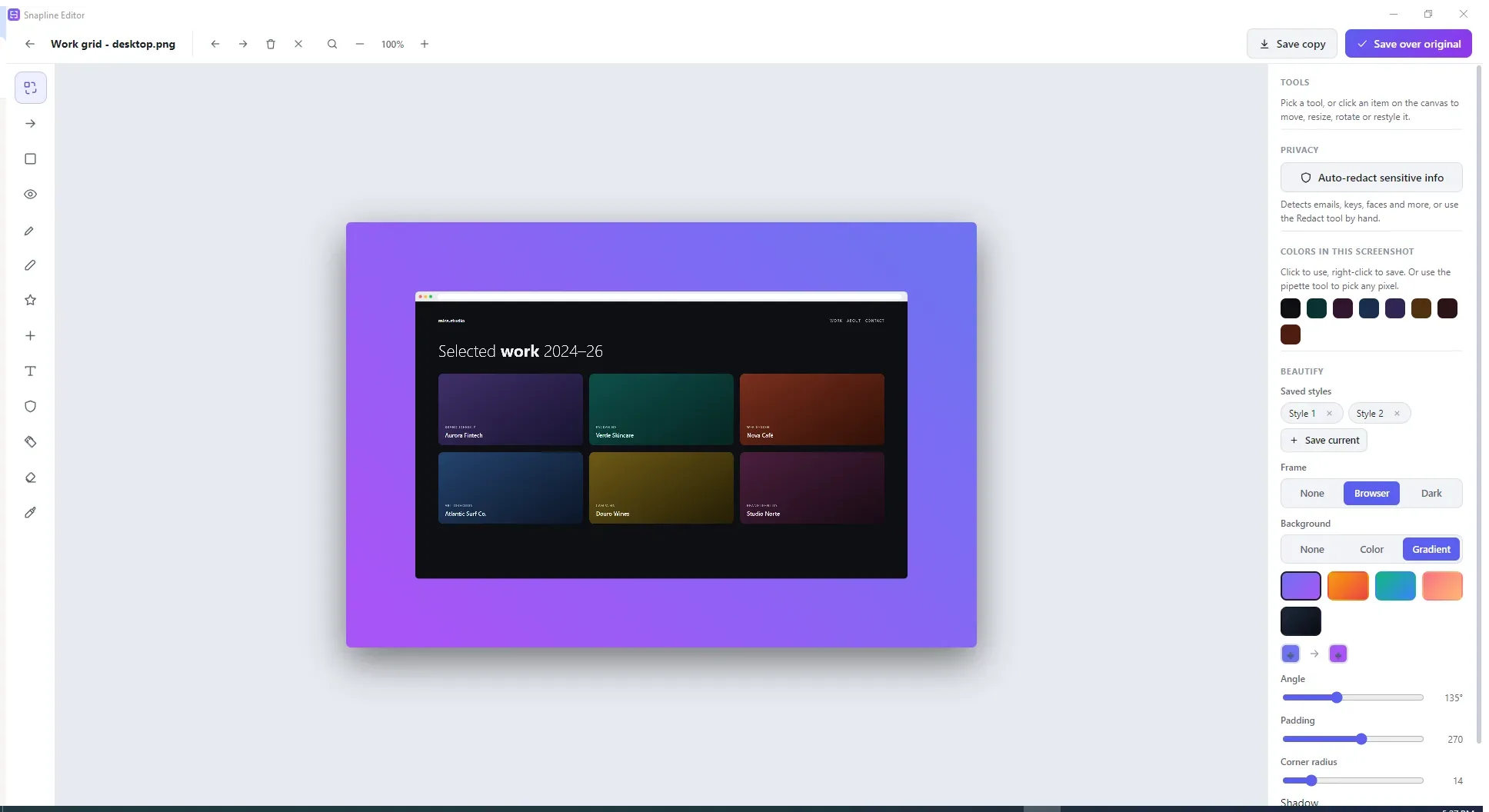
Arrows and callouts for feedback rounds. One-click blur for anything private. And beautify presets that wrap a raw capture in a browser frame on your brand’s backdrop, built by a brand designer, for client work.

  • Pipette eyedropper and image palette extraction
  • Savable beautify presets per client
  • Zoom to the pixel, pan with Space, save stays 1:1
Snapline editor with a screenshot wrapped in a browser frame over a gradient backdrop, with beautify controls for padding, radius, and shadow.
recording-008.mp4 00:42 · mic + system audio

Recording

Record it, sound and all.

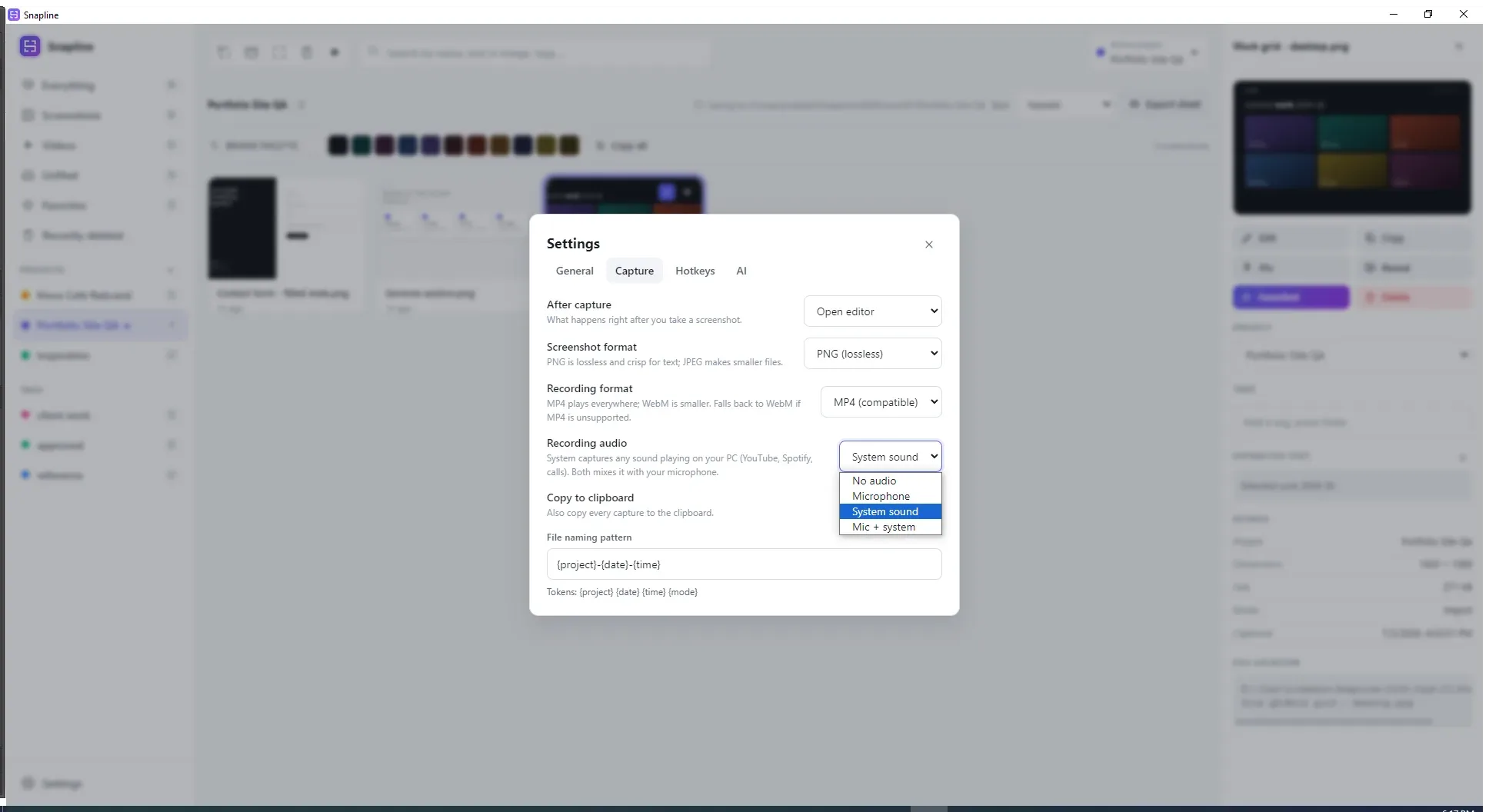
Screen recording with microphone and system audio, mixed properly and saved as MP4 files that play everywhere. Even classic Windows Media Player. We checked.

  • Mic, system audio, or both, mixed in one clean track
  • Recordings file into projects like any other capture
  • Standard MP4, no codec roulette
Snapline recording controls over a desktop, with source options for microphone and system audio.

Private by default

Nothing leaves your machine
unless you ask.

screenshots
your disk
search index
your disk
OCR
local Tesseract, offline
AI enrichment
opt-in · your API key · encrypted at rest
account
none
telemetry
none

FAQ

Quick answers.

Is Snapline free?

Yes. Snapline is free on the Microsoft Store, with no account, no subscription, and no ads.

Where are my screenshots stored?

On your own disk, in real folders you choose. The library is an index over those files, so any tool can open them, today or in ten years.

Does Snapline work offline?

Yes. Capture, organizing, and search all run locally, and OCR uses Tesseract on your machine. Optional AI enrichment is off by default and uses your own API key if you turn it on.

Can Snapline record video?

Yes. It records your screen to standard MP4 with microphone, system audio, or both mixed into one clean track. The files play in any player, including classic Windows Media Player.

What happens when I delete a screenshot?

It moves to Recently deleted and stays there for 30 days by default, with an undo toast the moment you delete. Nothing vanishes by accident.

Does Snapline send telemetry?

No. There are no accounts, no servers, no analytics, and no trackers. The privacy policy is one page of plain language.

Capture something
worth keeping.

Free · Windows 10 and 11 · no account needed